Texture Channel Packer Pro

Tool description:
Content:
Download:
UE 5.5: ChannelPackerPro.zip
UE 5.7: ChannelPackerPro_5.7.zip
Description:
Texture Channel Packer Pro is an Unreal Engine plugin created to pack separate grayscale textures into the Red, Green, Blue and Alpha channels of a single texture. This is used for creating ORM (Occlusion, Roughness, Metallic), MRO maps and other types of channel-packed textures.
How to Install:
- Unpack and Copy the "ChannelPackerPro" folder into your project's Plugins directory (FolderWithYourPoject/Plugins/)
- Restart Unreal Engine
- Enable "Texture Channel Packer Pro" in editor Plugins menu (Edit > Plugins)
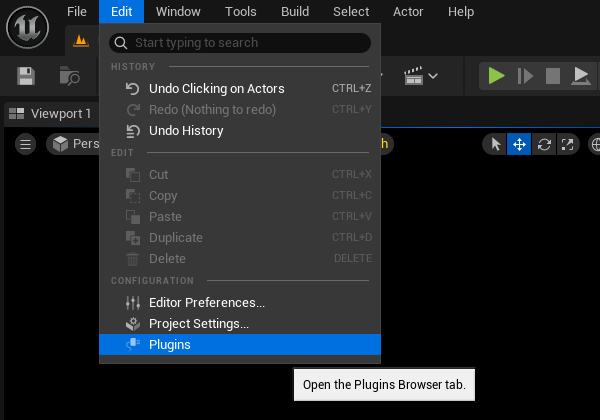
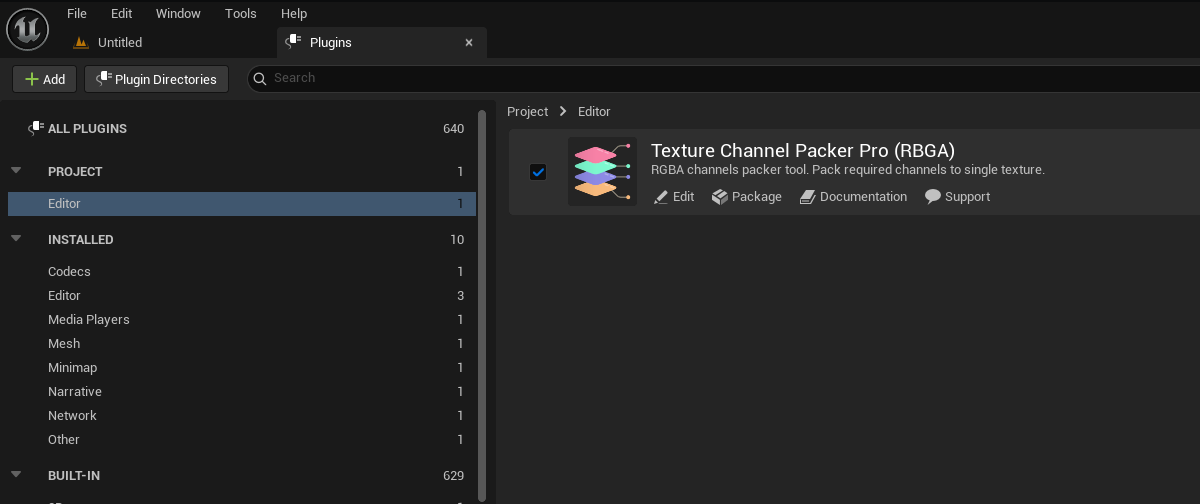
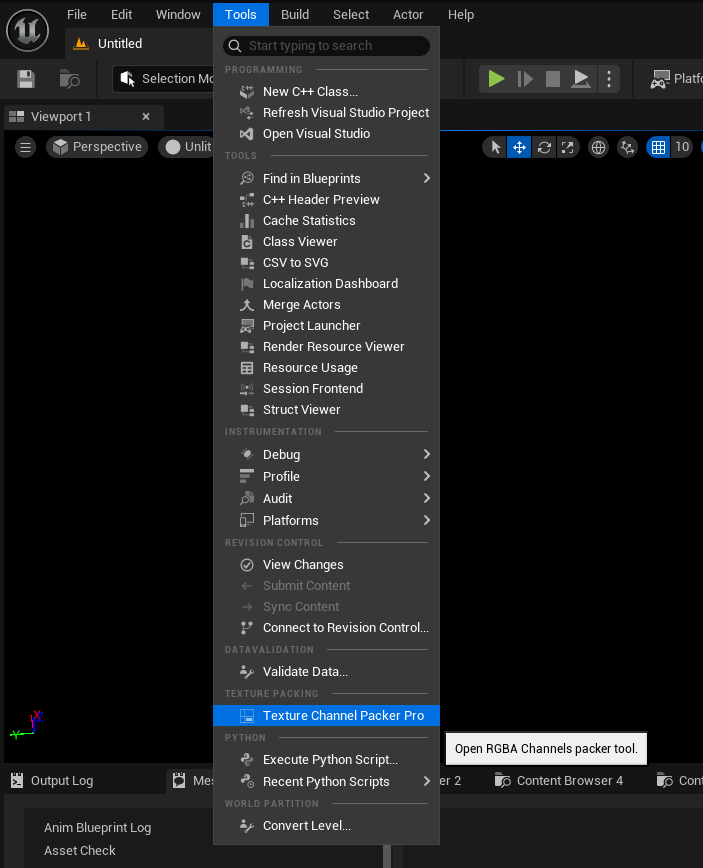
- Texture Channel Packer Pro window will be available by clicking menu "Tools" > "Texture Channel Packer Pro"
How to Use:
- Open plugin window (Tools > Texture Channel Packer Pro)
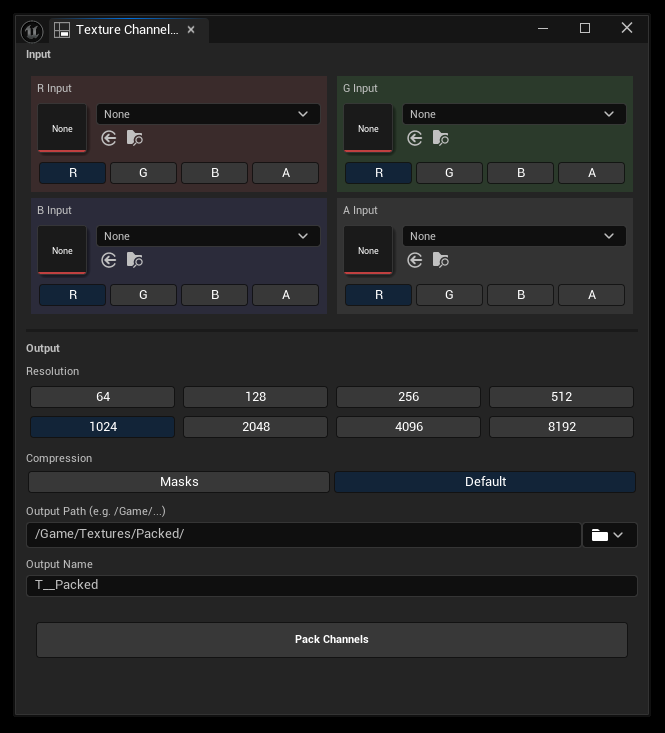
- Select Input:
- Select textures for R, G, B and A inputs
Note: you can Drag & Drop textures into slots; you can leave texture inputes empty - R/G/B channels will be filled with black and A channel with white if missing
- Under each texture input you can select a channel data will be extracted from
(for example you would like to repack MRO texture to ORM, so you can fill R/G/B input textures with the same MRO texture and select R input to B, G input to G and B input to R) - Select Output:
- Resolution: click on desired target resolution for the output texture (1024 by default)
- Compression: select compression type (Default is sRGB)
- Output Path: select the game folder path where texture will be saved. You can type manually or click the Folder Icon to select a directory from the Content Browser (Folder Textures/Packed/ is set by default)
- Output Name: Enter the desired name for the new texture (T__Packed is set by default, so you can simply enter desired name between doubled "_") - Pack: Click the Pack Channels button.
The tool will process the textures and create a new packed texture in the Content Browser at the specified location
Available on:
Available versions:
UE 5.5: ChannelPackerPro.zip
UE 5.7: ChannelPackerPro_5.7.zip